A free site photo log
New
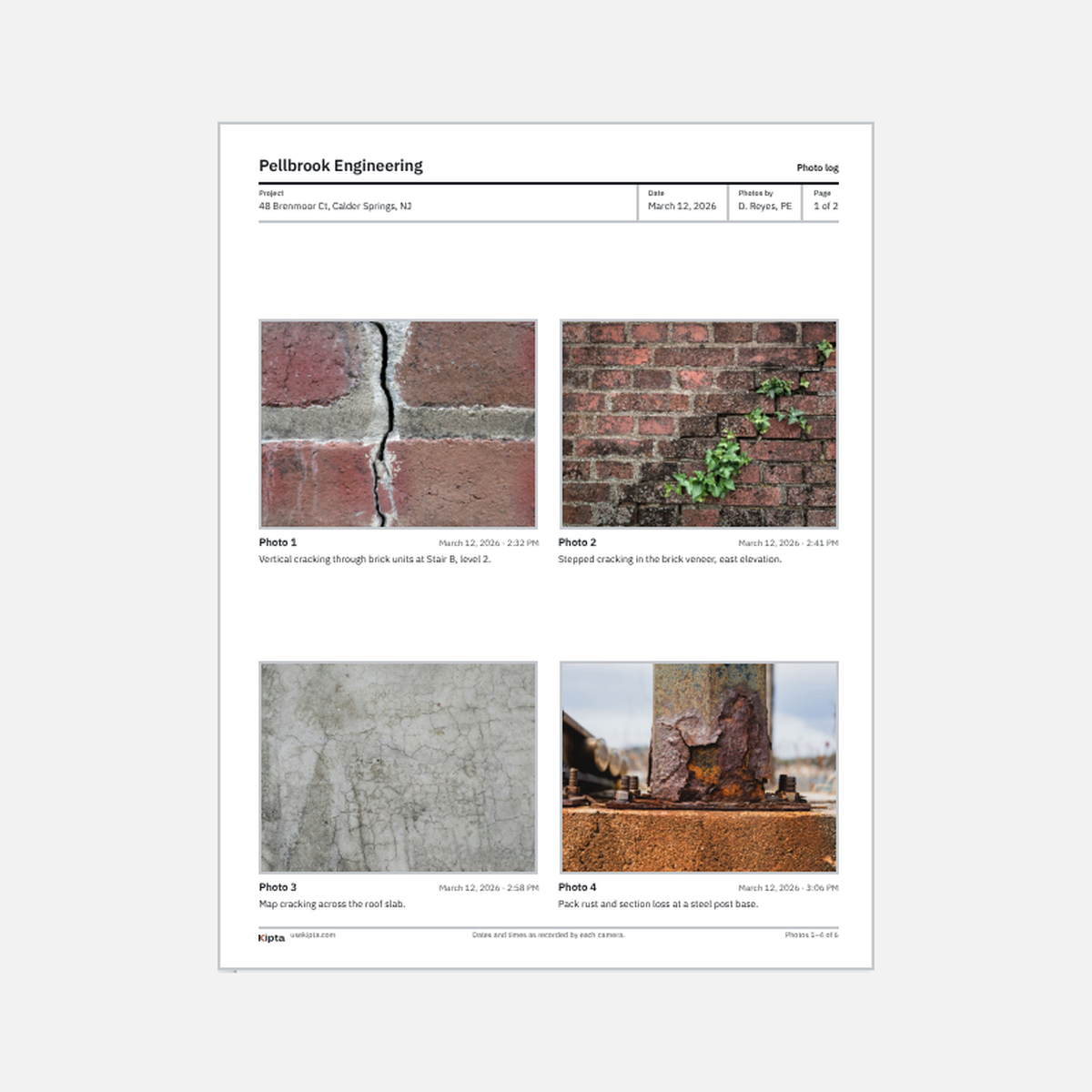
Number a site visit’s photos in the order they were taken, caption them, and save a PDF under your firm’s name.
The site photo log is Kipta’s first free tool. Add a visit’s photos, and it numbers them in the order each camera recorded, with the date and time each one was taken, ready for a caption.
Type your firm’s name, the project, who took the photos, and the date, and they print at the top of every page. Write a caption under each photo, move a photo up or down, or remove it, and see the pages as they’ll print.
You choose what shows on the PDF: the date and time, and, if you want it, the GPS location. Times and locations are shown as each camera recorded them, and a photo that lost them, like a screenshot or one sent through a chat app, says so rather than guessing. The PDF carries your firm’s name; Kipta’s logo and web address sit in its footer, since the tool is free.
It runs in your browser, and your photos never leave your device. Nothing is saved, so keep the tab open until you save the PDF. It now lives on Free tools, beside the site photo filer.